|
You can use Replace if you in the midst of a game need to replace a tablet. If you use a tablet that has not been used in the ongoing game, there is no problem. But if you let a BT that is in play replace another BT, you have to make sure that all results have been transmitted to BTC before clicking REPLACE. You should check in BTC’s grid that all results are in, and use RESEND RESULTS from the tablet’s TD menu if needed.
WARNING
You should not use Replace unless the tablet is dead. It is much safer to tell the players to power off/on the tablet and then Resume the game if it has ceased to communicate.
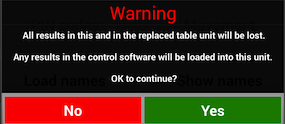
Note that all data in the replaced unit will be replaced with the data that BTC has got at the moment when you command Replace. That is to say, any not yet communicated entries (e.g. results) will be lost in the process.
HOW TO REPLACE
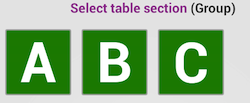
Select Replace in the replacing tablet’s TD menu and enter the section letter (not required if there is only one group).
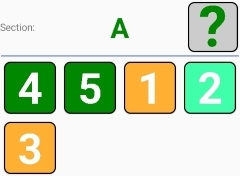
Note that a table can replace itself. In the example shown to the right table 2 will replace itself if you click the pale green button.
Dark green buttons (table 4 & 5) are not logged in whereas the orange tables (1 and 3) are logged in and will be logged out if you decide to replace them.
RESQUE
You can rescue the situation if you after a replacement find that results are missing in the Control program’s grid by looking up the missing entries in the Results view IN THE REPLACED unit.
|