|
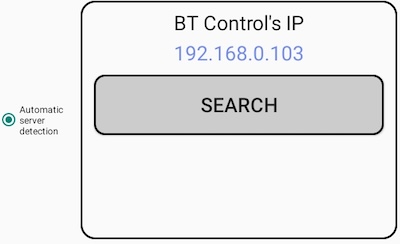
Everything should be well if the WiFi icon is green and the control software’s IP appears as shown to the right.
If you click the SEARCH button and the same IP comes up again the tablet has no doubt contact with the control software.
BT will in most cases tell what is wrong if the contact with the control software cannot be established.
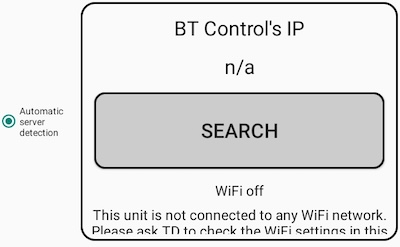
WiFi N/A
It will not help to Search for IP so long as the BT has no connection with any network. In most cases it should be clear from the WiFi icon what the problem is. Note that you should check the WiFi status on the computer side if all tables have the same problem.
WiFi off
The WiFi needs to be turned on if it says WiFi off (as in the example to the right).
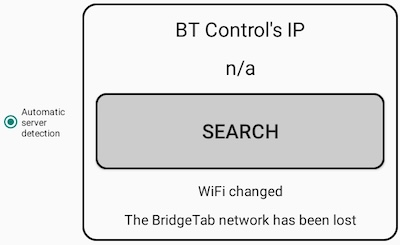
WiFi network changed
It is easy if the button Change network appears on the Start screen. Just accept the change and BT Control’s IP should be displayed.
BT Control’s IP n/a
First you should check that the WiFi signal is good and, if the WiFi icon is orange, bring the tablet closer to the WiFi base. You will need to check that the tablet and the PC are connected to the same network if the problem persists.
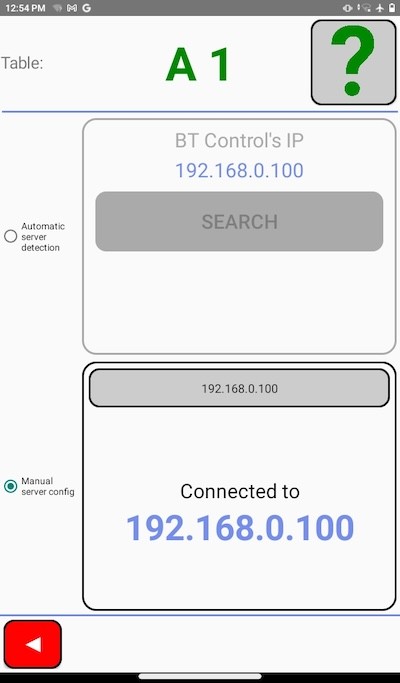
HARD-CODED IP
You can force the BT to connect to the control software’s IP (shown in the header of the control software’s main interface) if Search does not detect the IP. The IP is entered in the field “Enter IP manually here”.
Removing hard-coded IP
It might be necessary to remove the hard-coded IP if the blue WiFi icon shows good signal strength but it is impossible to log on. Click the Search button and the hard-coded IP should be reset.
If you cannot get rid of the hard-coded IP by Searching, you can start Dummy mode (via the Settings button on the Start screen) and then exit Dummy mode. Note that this will revert all settings (not only IP) to factory default.
PUBLIC NETWORKS
Networks can be very sophisticated (in e.g. hotels and community buildings) with subnets and firewalls blocking the BTs from connecting. Our advice is that you avoid hassle by buying an inexpensive WiFi router and set up your own, dedicated BridgeTab network.

|